Table of Contents
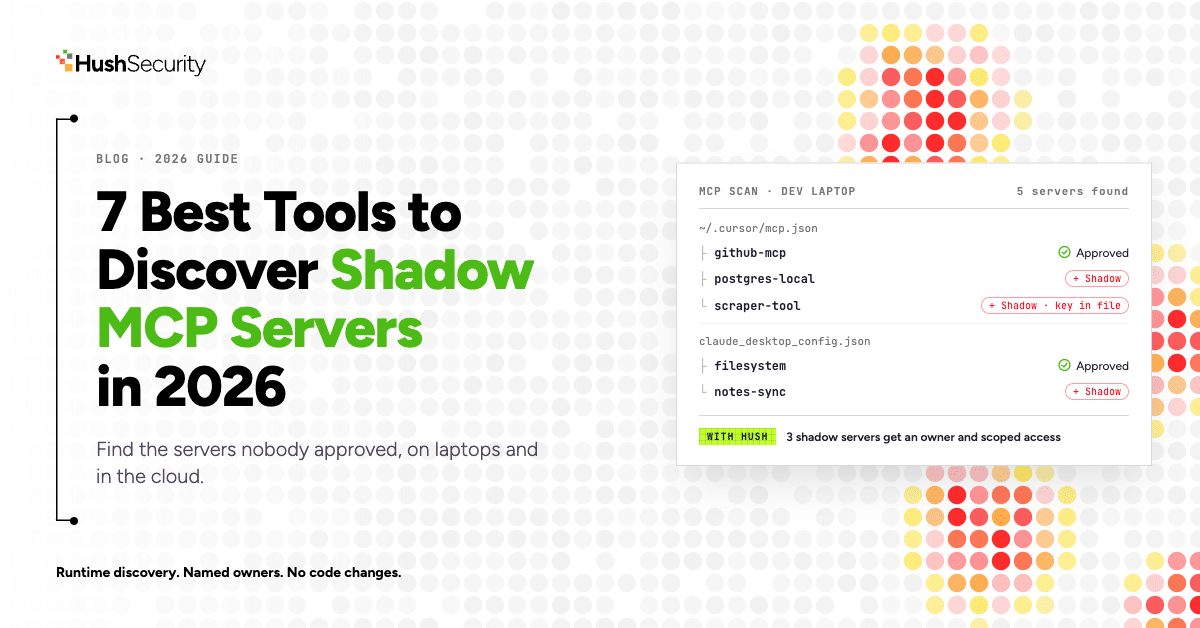
Hush Security is built to discover shadow MCP servers and govern unmanaged AI agent integrations across enterprise environments. Shadow Model Context Protocol (MCP) servers slip past standard network inspection because developers run them over local standard input/output (stdio) pipes or unmonitored HTTP endpoints. Hush closes this visibility gap by finding unmanaged MCP servers, AI agents and non-human identities, with no code changes to applications.
Traditional application security tools scan static code or inspect outbound web traffic. MCP connects large language models directly to local file systems, enterprise databases and external APIs. When developers install unvetted tools in AI clients like Cursor or Claude Desktop, those connections run with the privileges of the local user. Finding these hidden tools takes systems that look at local client configurations, running processes, network listeners and machine credentials.
This guide compares seven types of tools on four criteria: finding local stdio servers, detecting unauthenticated network listeners, checking tool definitions, and tracing machine credentials back to accountable human owners.
| Tool type | Best for | Primary discovery method | Local stdio coverage | Short-lived access control |
|---|---|---|---|---|
| 1. Hush Security | Enterprise agent governance and runtime discovery | Multi-environment inventory and runtime data | Yes | Yes (short-lived, task-scoped) |
| 2. Open-source CLI scanners | Local workstation audits and triage | Config file parsing and process scanning | Yes | No |
| 3. Static tool definition scanners | Checking tool definitions before install | Schema and description analysis | No (static only) | No |
| 4. Container sandboxes | Running approved tools in isolation | Container runtime and curated registry | Partial (containers only) | No |
| 5. Endpoint data security tools | Data lineage and user activity on laptops | Endpoint and browser sensors | Yes | No |
| 6. API and network discovery tools | Network-exposed MCP servers | Network traffic and API gateway inspection | No (network only) | No |
| 7. Cloud-native MCP gateways | Single-cloud environments, such as Azure with Microsoft Entra ID | Identity-based routing and reverse proxy | No (gateway traffic only) | No (standard cloud identity tokens) |
1. Hush Security is best for enterprise-wide shadow MCP discovery and runtime governance
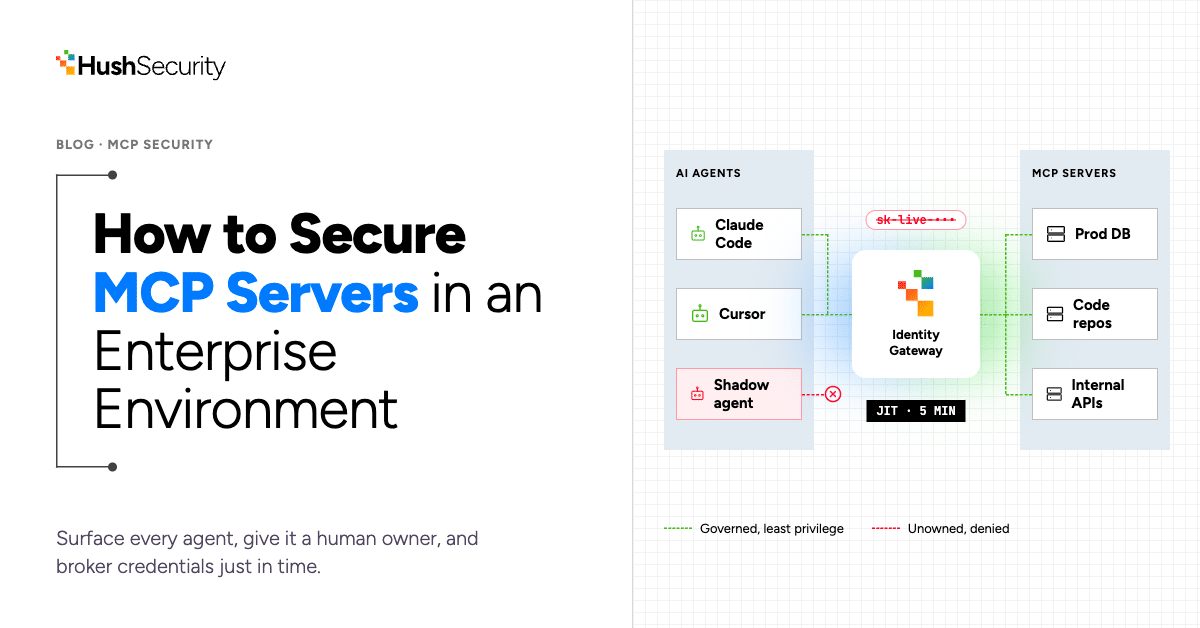
Hush Security is the identity security platform for AI agents and non-human identities, replacing static secrets with just-in-time access enforced at runtime. Visibility gaps open up when engineers install community-built MCP servers that use standing API tokens or run unmonitored scripts. Hush detects agents, MCP servers and non-human identities across cloud, code repositories, Kubernetes and runtime environments.
Running as a runtime gateway between AI agents and the systems they call, Hush inspects requests, enforces task-scoped permissions, and lets platform teams centrally allow, block, require approval for or revoke connections on demand. This protects infrastructure without asking engineering teams to rewrite agent configurations or change application code.
2. Open-source CLI scanners are best for discovery on developer workstations
Open-source command-line scanners give security teams targeted endpoint scanning for developer workstations. Run locally, they inspect the known configuration directories used by AI clients to list installed servers, launch commands and environment variables.
A typical scanner offers several depths of inspection:
- Inventory only: list every MCP server configured on the machine.
- Structured output: write a machine-readable inventory (for example JSON) for SIEM or compliance pipelines, or a readable report.
- Risk grading: score servers that have not been reviewed elsewhere.
- Deep scan: connect to a server and list the tools it actually exposes, which can reveal file system access that the config file alone doesn’t show.
These tools are quick to adopt, but they produce a point-in-time snapshot of one machine. They don’t assign owners, issue credentials or block connections.
3. Static tool definition scanners are best for pre-installation checks
Static scanners inspect MCP server definitions before deployment. Instead of running in the background to catch live servers, they check tool schemas, parameters and metadata against known vulnerability patterns.
They flag problems such as prompt injection hidden in tool descriptions, tool poisoning and cross-server escalation. Run in CI or pre-commit checks, they alert engineers when a config change adds a risky execution path. Their limit is scope: they don’t watch developer machines, so they can’t catch a developer who downloads and runs an unvetted stdio server outside source control.
4. Container sandboxes are best for running approved tools in isolation
Container sandboxes run each MCP server in its own container, keeping tool processes off the developer’s host operating system. They apply minimal default permissions, with restricted network access and limited local privileges for each tool.
Platform teams use them to host curated registries of approved tools. Developers pull vetted tools from the registry instead of installing arbitrary Node.js or Python packages. This sandboxes what runs, but developers who bypass the registry can still start native local processes if client configurations are unmanaged. And a sandbox doesn’t stop data leaving if static tokens are mounted into the container.
5. Endpoint data security tools are best for tracking data movement across AI tools
Endpoint data security tools combine data loss prevention with activity tracking, and some now include discovery and runtime controls for AI agents and MCP servers on company laptops. Working at the operating system and browser level, they map data lineage to spot when sensitive material leaves the company.
They record user-driven tool activity and flag unapproved integrations talking to external model endpoints. Their endpoint sensors can see when developers set up local client integrations, and tie that activity to user accounts and data movement. They don’t issue or scope the credentials those integrations use.
6. API and network discovery tools are best for network-exposed MCP servers
API security tools automatically discover API assets and web-facing services across company infrastructure. They flag MCP servers reachable over the network and list the tools and API routes those servers expose.
Some also run automated tests for indirect prompt injection in tool responses and check the integrity of tool definitions. They work well for central cloud clusters and public-facing APIs, but they can’t see local stdio servers that run entirely on an engineer’s laptop.
7. Cloud-native MCP gateways are best for single-cloud identity routing
Cloud-native MCP gateways act as a reverse proxy and authentication layer for organizations standardized on one cloud. On Azure, for example, a gateway can use Microsoft Entra ID for OAuth 2.0 authentication and role-based access control (RBAC) across tools.
This gives central authentication and audit logging for cloud workloads inside that ecosystem. The trade-offs: setup can slow down engineers testing external tools locally, and the gateway doesn’t inspect endpoints outside that cloud or stdio servers on developer machines.
What are the core security risks of Model Context Protocol (MCP)?
MCP standardizes how language models call external functions, turning passive chatbots into software agents that act. In one analysis of about 1,400 MCP servers, 38.7% of the servers whose authentication method could be determined had no authentication at all, so anyone could connect and list their tools. Unmanaged servers bring four main risks:
- Unmonitored local access: common desktop setups give MCP servers read and write access to the developer’s file system, shell and local network.
- Tool poisoning and definition changes: a compromised or malicious server can change its tool definitions after approval, rewriting descriptions to slip malicious instructions into the model’s context.
- Standing credential sprawl: MCP configs often rely on static, long-lived API keys stored in plaintext config files, giving the server broad standing access instead of scoped, short-lived access.
- Attribution gaps: when an agent acts on company databases through an MCP server, the target system’s logs often show only a generic service account, not the responsible person.
MCP servers are an attack surface that traditional enterprise security tools weren’t designed to detect, and unvetted MCP configs on developer machines are now a common finding in security assessments.
How do the top MCP security platforms compare across layers?
No single network appliance can secure MCP, because MCP security spans five layers: workstation discovery, container sandboxing, static tool scanning, API and network gateways, and identity and access management.
| Layer | Focus area | Typical blind spot |
|---|---|---|
| Workstation discovery | Endpoint config scanning, stdio process detection | No identity provisioning or network blocking |
| Container sandboxing | Process isolation, minimal OS privileges | Doesn’t stop data exfiltration if static tokens are mounted |
| Static tool scanning | Pre-install schema checks, prompt injection patterns | Blind to definition changes after approval and to runtime calls |
| API and network gateways | HTTP inspection, network discovery | Misses local stdio servers |
| Identity and access management (Hush Security) | Non-human identity, short-lived just-in-time access | Needs to be rolled out across each environment it governs |
Buying only a network gateway or a static scanner leaves non-human identity credentials exposed if agents still use long-lived static secrets. A complete defense pairs local configuration scanning with identity-based runtime controls.
How can security teams discover shadow MCP servers on developer laptops?
Finding shadow MCP servers starts with the local files where AI development tools save their connection settings. Coding agents and desktop assistants write plain JSON config files that hold launch commands, local binary paths and environment variables.
Platform teams should check the standard config paths on each operating system:
- Claude Desktop
- macOS:
~/Library/Application Support/Claude/claude_desktop_config.json - Windows:
%APPDATA%\Claude\claude_desktop_config.json
- macOS:
- Cursor
- macOS and Linux:
~/.cursor/mcp.json, or a project-level.cursor/mcp.json - Windows:
%USERPROFILE%\.cursor\mcp.json
- macOS and Linux:
- Cline extension for VS Code
- macOS:
~/Library/Application Support/Code/User/globalStorage/saoudrizwan.claude-dev/settings/cline_mcp_settings.json
- macOS:
- Generic stdio processes
- Node-based: background processes running
npx -y @modelcontextprotocol/... - Python-based: processes launched with
uvxor a virtualenv Python path
- Node-based: background processes running
Security teams can push config-parsing scripts through endpoint management software, or run an open-source MCP discovery scanner across developer machines, to inventory server definitions, spot unmanaged environment variables and list the endpoints each server targets.
Which tools detect malicious MCP servers and tool poisoning attacks?
Attackers abuse MCP by tampering with tool definitions or exploiting unauthenticated connections. Tool poisoning happens when a server’s author hides instructions in a tool’s natural-language description, steering the model when it picks and uses tools. Each threat calls for a different kind of defense.
| Threat | How the attack works | Main defense | Tool type |
|---|---|---|---|
| Pre-install poisoning | Malicious schemas or prompt injection in metadata | Static inspection of tool definitions | Static tool definition scanners |
| Runtime rug pulls | Server changes its tool definitions after connection | Tool definition change detection and gateway policy | Runtime gateways |
| Local host compromise | Malicious server tries to break out to the file system | Container sandboxing | Container sandboxes |
| Credential theft | Reading plaintext API tokens from config files | Secretless, short-lived access | Hush Security |
| Unauthenticated snooping | Open network listener lets anyone list capabilities | Port discovery and network authorization | API and network discovery tools |
Static scanners check definitions before installation. Runtime gateways check every request, which limits what a successful prompt injection can actually do.
What is the difference between open source and commercial MCP security tools?
The choice between open-source tools and enterprise platforms is a trade-off between setup effort, coverage and automated enforcement.
Open-source scanners give teams immediate, transparent access to detection logic. Platform teams can read the source, fit the tools into developer workflows and run ad-hoc audits with no procurement. In return, they need manual upkeep, have no central dashboard, and can’t automatically revoke a compromised token across cloud resources.
Commercial platforms offer continuous monitoring, central policy and automated alerting. They connect local and cloud data, track agent ownership and manage non-human identities at enterprise scale, but they take evaluation, contracting and setup time.
How should platform engineering teams enforce MCP access control and agent identity?
Securing MCP means moving from static API credentials to identity-based access. When AI agents work with long-lived API keys, a leaked config file exposes the systems behind them.
Platform teams should adopt four practices:
- Remove static secrets: replace hardcoded API keys with short-lived access scoped to the agent’s current task.
- Set non-human identity ownership: tie every workload and agent to an accountable human owner, so actions are attributable in audit logs.
- Scope to least privilege: limit agent permissions to the specific tools, tables and endpoints the current step needs, which limits lateral movement.
- Route calls through a central gateway: send tool calls through a gateway that can block unauthorized calls, ask for human approval or stop a misbehaving agent.
Which MCP security solutions support both local workstations and cloud environments?
Enterprise AI setups combine developer workstations running local IDE assistants with cloud clusters running backend agent workflows. The ecosystem is growing fast: public MCP directories now list tens of thousands of servers, and Anthropic has reported more than 97 million monthly SDK downloads.
The two environments need different technical approaches:
- Developer workstations: tools talk over stdio pipes started by local binaries. Discovery needs endpoint config parsing and process monitoring that can spot Node or Python processes started by IDE extensions.
- Cloud workloads: agents connect over HTTP, using Streamable HTTP or the older Server-Sent Events (SSE) transport. Enforcement needs reverse proxies, API gateways and Kubernetes-aware identity brokers.
A cloud-only gateway leaves workstation stdio servers uninspected. Standalone laptop scanners don’t protect containerized agents in cloud pipelines. Platforms like Hush Security bridge the two by combining non-human identity discovery and runtime controls across local and cloud infrastructure.
What should you test in a sandbox before buying an MCP security tool?
Before choosing a commercial or open-source MCP security tool, test it against realistic attack scenarios in an isolated environment:
- Local stdio discovery: set up an unvetted local server in Claude Desktop or Cursor using a dummy binary. Check whether the tool finds it without manual network setup.
- Tool definition changes: start a harmless server, connect an agent, then change the tool definition to add malicious instructions. Check whether the tool flags the change or lets the call through.
- Credential exposure: put a canary API token in a local config file. Check whether the tool flags it and can replace it with short-lived, task-scoped access.
- Prompt injection: pass untrusted input containing indirect prompt injection through a tool loop. Check whether policy blocks the unauthorized follow-on tool call.
- Multi-environment visibility: deploy one tool in a Kubernetes container and one on a developer laptop. Check that the console shows both in one inventory.
Choosing the right shadow MCP discovery approach
The right approach to shadow MCP risk depends on your organization’s maturity and where your agents run.
| Scenario | Main technical need | Recommended action |
|---|---|---|
| Individual audits and local triage | Fast scan of local IDE configs | Run an open-source CLI scanner to parse local configurations |
| Pre-deployment code checks | CI/CD validation of tool definitions and schemas | Add a static tool definition scanner before release |
| Curated internal tooling | Isolated container execution for internal developers | Host approved tools in a container sandbox with a registry |
| Single-cloud workloads | Cloud identity authentication and RBAC routing | Use a cloud-native MCP gateway for central access |
| Enterprise identity governance | Multi-environment inventory and just-in-time access | Deploy Hush Security to govern agents, secrets and MCP servers |
Security teams that need to remove standing privileges while mapping shadow MCP integrations across cloud environments, code repositories and developer workstations can start by mapping their existing non-human identities with Hush Security.